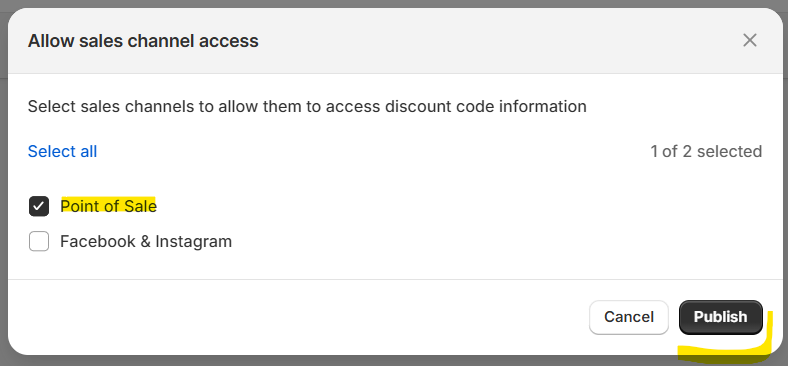
If the discount tile is not appearing or working on Shopify POS or Shopify Go mobile devices, make sure the discount is published to the Point of Sale sales channel.
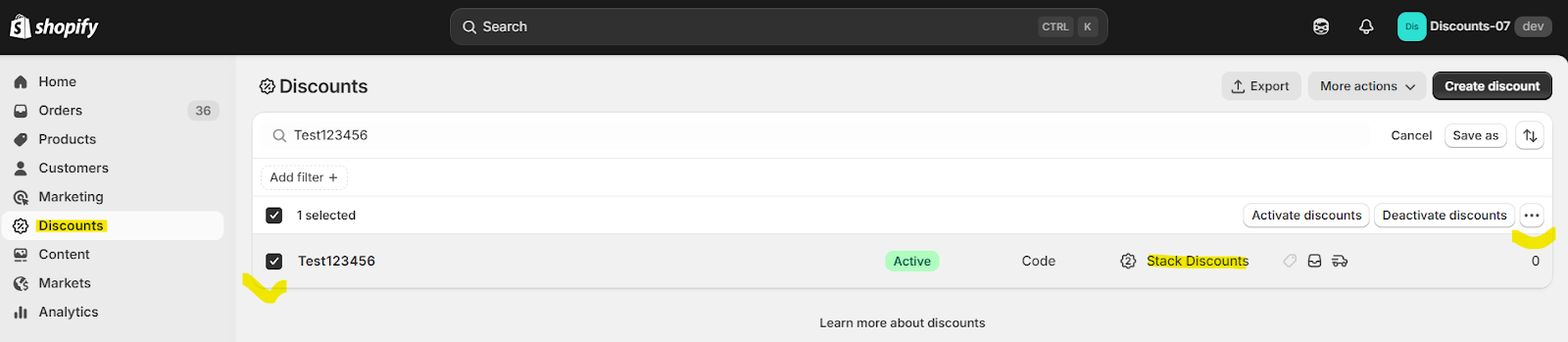
Go to your Shopify Admin → Discounts page, find the discount created via our app that you want to enable the tile for, and select it using the checkbox on the left — like in this example:
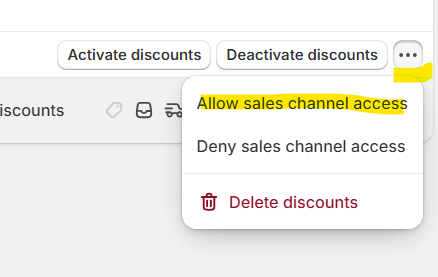
Check the box Point of Sale and click Publish.
Was this article helpful?
That’s Great!
Thank you for your feedback
Sorry! We couldn't be helpful
Thank you for your feedback
Feedback sent
We appreciate your effort and will try to fix the article
